The new version will be out soon.
And the kogo's joseki dictionary can be viewed correctly, however I have to disable the tree view. The current tree view implementation demands a lof of system memory, which might lead to app crash. It will take a lot of time to tune the tree view drawing, so for V1.1, the tree view is disabled for game file with big size. I'm sorry for that.
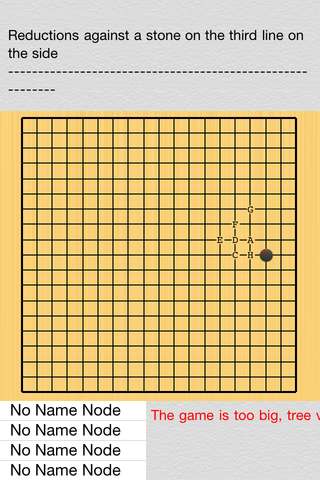
However, without tree view, it's impossible or not intuitive to select variations which are not actual move.(since it't not a move, it won't be displayed on the board with next move marker), I added a variation table to complement the tree view. Please see the below screenshots.
- screenshot.jpg (36.86 KiB) Viewed 5800 times
For the current node in the above screenshot, the children are all setup node, no actual moves, without the tree view, it's impossible to select these variations. (I checked SmartGo kifu, switch variation button seems not working in this situation) . Now with variation table, it's easy to select.
- screenshot2.jpg (37.88 KiB) Viewed 5800 times
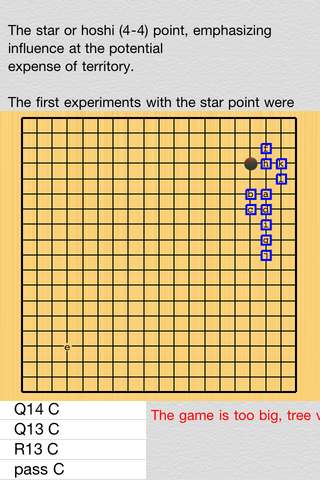
In v1.1, the next move marker can be turned on, off, or only show if there are multiple variations. If show, if there are markup already at the same position, a blue square will show, otherwise a small blue point will show.
By the way, if there are node name(SGF N[] property), node name will be also showed in variation table.
Another thing to point out, on iphone4, it takes 6-8 seconds to open kogo's joseki dictionary, on ipad2, about 3-4 seconds. I'll continue tuning it. Currently spliting the file for faster response is recommended.
 Igowin is even worse.