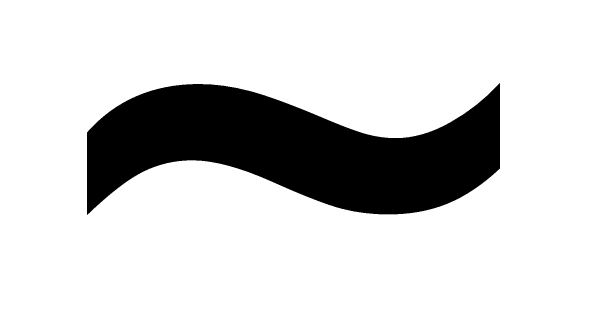
They look the same to me. But I don't know if that would be a browser difference in default font or something like my os not having the font l19 would otherwise use.
They're the same, just different fonts. You simply can't say that any character or letter looks "wrong" in any font; it's just that they're part of that font.
I assumed everyone had this problem. It looks like an en-dash on my browser. When I expanded the font to take a better screen shot, I realized that it is a tilde, it's just not visible at the default font size.
I attached two screenshots, but they're making my eyes bleed. Is there any way to hide the attachments?
[mod edit=Chew]Hid them by placing them inline then surrounding them with hide tags.[/mod edit]
fwiffo wrote:Weird... I am also running Ubuntu (well, Kubuntu) and tilde looks fine for me. Do you have msttcorefonts installed?
It's already the newest version. I tried changing Chrome's default sans-serif font, but that doesn't do anything; and anyway, I can see tildes fine on other pages which are using sans-serif fonts, just not L19. Curiouser and curiouser. But if I'm the only one who's having this problem, it's not really the end of the world.